











Numerical Analytics — Complete WordPress Developer Reference
April 2026
01
Project Architecture
Full WordPress stack overview — what goes where, why it was chosen, and how pieces interact.
Stack Philosophy: Astra Pro (theme) + Elementor Pro (builder) + WooCommerce (shop) is the same core stack that powers Shiprocket's WordPress site. This combination gives you pixel-perfect control without custom PHP development for 95% of the build.

Directory Structure Overview

directory
# WordPress root
wp-content/
├── themes/
│   └── astra/                    # Astra parent theme (DO NOT edit)
│   └── astra-child/              # Child theme — ALL custom CSS/PHP here
│       ├── style.css
│       ├── functions.php             # Enqueue scripts, custom hooks
│       └── assets/
│           ├── css/custom.css        # Global overrides
│           └── js/main.js            # Counter anims, scroll effects
├── plugins/
│   ├── elementor/                # Free Elementor
│   ├── elementor-pro/            # Pro — mega menu, forms, motion
│   ├── woocommerce/              # Shop engine
│   ├── rank-math-pro/            # SEO + schema
│   ├── wp-rocket/                # Caching + performance
│   ├── imagify/                  # Image compression
│   ├── wpforms-pro/              # Demo request forms
│   ├── fluent-crm/               # Email automation
│   └── custom-fonts/             # Self-hosted DM Sans
└── uploads/
    └── na-assets/                # Logos, product images (WebP)
Important: Never install Elementor's Hello theme — use Astra. Hello theme strips too much browser styling and causes layout inconsistencies with WooCommerce templates. Astra Pro's WooCommerce compatibility is significantly better tested.

Plugin Interaction Map

Astra Pro + Elementor Pro
Astra handles: global typography, header/footer builder, mega menu. Elementor handles: all page content sections. The two communicate via Astra's "Elementor Header & Footer" integration — enable in Astra → Integrations.
Elementor Pro + WPForms
Elementor Pro has its own form widget — but use WPForms for software demo request forms (NVivo, XLSTAT etc.) because WPForms has better conditional logic and FluentCRM integration. Embed WPForms via shortcode inside Elementor HTML widget.
WooCommerce + Elementor
Enable "WooCommerce" module in Elementor Pro settings. This unlocks Product Grid, Cart, Mini Cart, My Account widgets. Build custom product archive and single product pages entirely in Elementor. Override default WooCommerce templates this way — no PHP template overrides needed.
WP Rocket + Elementor
WP Rocket's CSS/JS minification can break Elementor animations. In WP Rocket → File Optimization, add elementor and elementor-pro to the "Excluded CSS files" list. Enable "Load JS Deferred" but exclude Elementor's JS bundles.
02
Design System — Visual DNA
Everything the developer needs to make consistent design decisions without going back to a designer.
Design Inspiration Source: Shiprocket uses a clean, high-contrast SaaS aesthetic — white backgrounds, bold section headlines, dark navy sections for contrast breaks, and a single bold CTA color (orange/brand). NA adopts the same structure adapted to an edu-analytics brand identity.

Core Brand Values → Design Decisions

Precision & Analytical
Sharp corners on data elements, monospace type for stats/numbers, structured grid layouts. No rounded blobs or organic shapes.
Academic Authority
Deep navy primary color (trust, authority). Clean whitespace. Restrained use of color — only 1 accent per section.
Modern & Approachable
DM Sans body font (friendly, readable). Ample padding. Smooth hover animations. No harsh shadows or heavy borders.

Shadow System

CSS Variables
:root {
  /* Shadows — use only these 3 levels */
  --shadow-sm: 0 1px 3px rgba(13,27,42,0.06), 0 1px 2px rgba(13,27,42,0.04);
  --shadow-md: 0 4px 16px rgba(13,27,42,0.08), 0 2px 6px rgba(13,27,42,0.05);
  --shadow-lg: 0 12px 40px rgba(13,27,42,0.12), 0 4px 12px rgba(13,27,42,0.07);
  --shadow-card-hover: 0 20px 60px rgba(13,27,42,0.15);

  /* Border radius */
  --radius-sm: 4px;
  --radius-md: 8px;
  --radius-lg: 12px;
  --radius-xl: 20px;
  --radius-pill: 999px;

  /* Transitions */
  --transition-fast: 0.15s ease;
  --transition-base: 0.25s ease;
  --transition-slow: 0.4s ease;
}
03
Typography System
Exact font specs, size scale, weight usage, and how to configure in Astra + Elementor.

Font Choices

Syne — Display / Headings
Weights: 700, 800. Used for: H1, H2, H3, section titles, stat numbers. Bold geometric character signals precision and authority. Loaded from Google Fonts.
fonts.googleapis.com/css2?family=Syne:wght@700;800
DM Sans — Body / UI
Weights: 300, 400, 500, 600. Used for: body text, nav, buttons, captions. Excellent readability at small sizes. Friendly but professional tone.
fonts.googleapis.com/css2?family=DM+Sans:wght@300;400;500;600
DM Mono — Data / Labels
Weights: 400, 500. Used for: stat counter numbers, code snippets, price labels, table headers, badge text. Monospace signals precision — critical for analytics brand.
fonts.googleapis.com/css2?family=DM+Mono:wght@400;500

Type Scale — Exact Specs

Hero H1
60px / Syne 800
India's Leading EdTech & Analytics Distributor
Section H2
40px / Syne 700
Why 500+ Institutions Trust Us
Card H3
22px / Syne 700
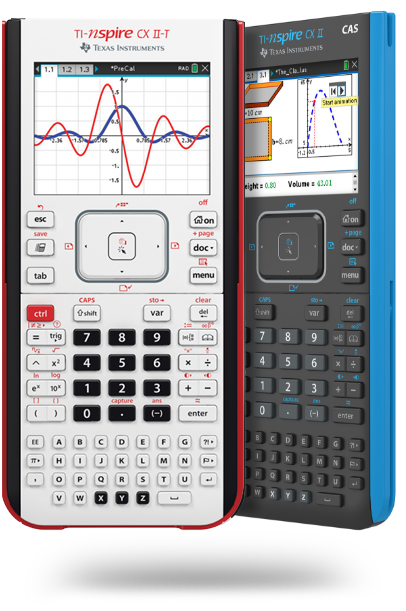
Graphing Calculators
Body Large
16px / DM Sans 400
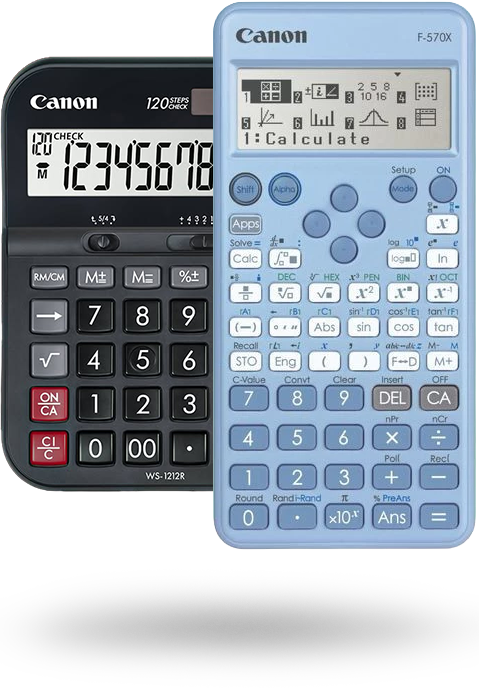
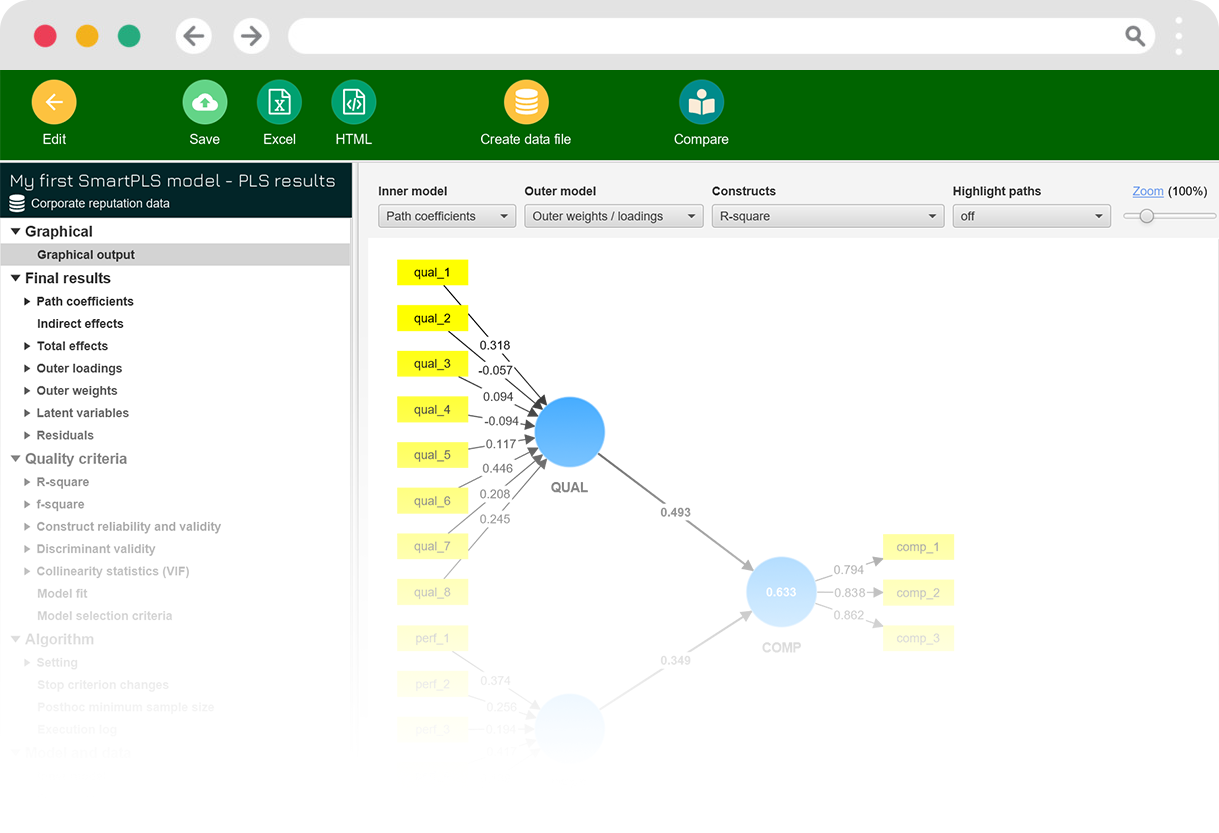
We are the authorized distributor of Texas Instruments, XLSTAT, NVivo, SmartPLS, and EViews across India, Nepal, Bhutan, Sri Lanka, and Bangladesh.
Body Small
14px / DM Sans 400
Product description text, feature bullets, FAQ body copy, blog excerpt text.
Label / Badge
11px / DM Mono 600
NEW ARRIVAL · BEST SELLER · IB APPROVED
Stat Number
56px / DM Mono 500
500+

Configuring in Astra Pro

Go to Appearance → Customize → Global → Typography and set:

Astra Customizer Settings
/* Body Font */
Font Family: DM Sans
Font Size: 15px
Font Weight: 400
Line Height: 1.75

/* Headings — then override per-heading below */
H1: Syne | 60px | 800 | Line Height: 1.1
H2: Syne | 40px | 700 | Line Height: 1.2
H3: Syne | 24px | 700 | Line Height: 1.3
H4: DM Sans | 18px | 600 | Line Height: 1.4
H5: DM Sans | 15px | 600
H6: DM Mono | 12px | 500 | Text Transform: uppercase | Letter Spacing: 0.1em
04
Color Token System
Full hex values, CSS variable names, when to use each, and where to set them in Astra + Elementor.
CSS Custom Properties — paste into child theme style.css
:root {
  /* === BRAND CORE === */
  --na-navy:        #0D1B2A;  /* Dark sections, footer bg, text on light */
  --na-blue:        #1A3E8C;  /* Primary brand — nav, headings, links */
  --na-blue-mid:    #2563EB;  /* Button hover, active states */
  --na-blue-light:  #EFF6FF;  /* Section backgrounds, card tints */
  --na-sky:         #0EA5E9;  /* Secondary accent — sky blue highlights */

  /* === ACTION / CTA === */
  --na-orange:      #F0842C;  /* Primary CTA buttons — "Explore Now", "Buy" */
  --na-orange-dark: #C96B1A;  /* Button hover darken */
  --na-orange-light:#FFF4EC;  /* Promo banners, announcement bar bg */

  /* === NEUTRALS === */
  --na-white:       #FFFFFF;
  --na-bg:          #F8FAFC;  /* Page background, alt sections */
  --na-bg-2:        #EEF2F7;  /* Card tint, table striping */
  --na-border:      #D1D9E6;  /* All borders, dividers */
  --na-text:        #0D1B2A;  /* Body text on white */
  --na-muted:       #64748B;  /* Secondary text, captions */
  --na-light-text:  #94A3B8;  /* Placeholder, disabled text */

  /* === SEMANTIC === */
  --na-success:     #16A34A;  /* "In Stock", success alerts */
  --na-error:       #DC2626;  /* Error states, "Out of Stock" */
  --na-warning:     #D97706;  /* Low stock, form warnings */
  --na-info:        #0284C7;  /* Info tooltips, notices */
}

Configuring in Elementor Global Colors

Go to Elementor → Site Settings → Global Colors and create these named swatches. Every widget then references these names instead of hex values — changing one hex updates the entire site.

Elementor Global Color Names
  • Primary — #1A3E8C (NA Blue)
  • Secondary — #F0842C (Action Orange)
  • Text — #0D1B2A (NA Navy)
  • Accent — #0EA5E9 (Sky Blue)
  • Body BG — #F8FAFC
  • Dark BG — #0D1B2A (for dark sections)
  • Muted — #64748B
  • Success — #16A34A
Section Background Patterns
  • White section — #FFFFFF (most sections)
  • Light grey section — #F8FAFC (alternating)
  • Blue tint section — #EFF6FF (features/services)
  • Dark navy section — #0D1B2A (stats, CTA strip)
  • Orange strip — #F0842C (announcement bar, promo)
05
Spacing & Layout Grid
Container widths, section padding rules, column gaps — the exact values to use in Elementor.
Container Width
Set in Astra → Customize → Layout → Container. Max width: 1200px. Content width: 1100px. Sidebar layout: none (full width). This matches Shiprocket's content column width exactly.
Section Padding
Every homepage section: padding: 90px 0 on desktop. Tablet: 60px 0. Mobile: 48px 0. Set as Elementor Section defaults in Site Settings → Layout. Never use less than 60px vertical padding — whitespace is key to Shiprocket's clean look.
Column Gap
Elementor Section → Layout → Columns Gap: set to 20px for standard sections, 32px for feature card grids, 12px for tight icon grids. Never use Elementor's default "Wide" gap — it's too large.
8px Base Grid
All spacing values must be multiples of 8px: 8, 16, 24, 32, 40, 48, 56, 64, 80, 96. In Elementor widget margins/padding, never use odd values like 15px or 22px. This maintains visual rhythm throughout the page.

Breakpoints (Elementor + Astra)

Elementor Breakpoints — set in Site Settings → Breakpoints
/* Elementor Pro Custom Breakpoints */
Desktop:    1200px+    /* Full layout, 4 col grids */
Laptop:     1024px     /* Reduce column counts, slightly smaller type */
Tablet:     768px      /* 2-col becomes 1-col, nav collapses */
Mobile L:   480px      /* Single column, stacked layout */
Mobile S:   360px      /* Smallest breakpoint — hero text tightens */

/* Astra → Customize → Responsive → Breakpoints */
Tablet Breakpoint: 921px  /* When hamburger menu shows */
Mobile Breakpoint: 544px
06
Theme Framework — Astra Pro
Every critical Astra Pro setting that must be configured before touching Elementor.

Astra Pro — Critical Settings Checklist

1
Install child theme immediately
Create astra-child/style.css with Template: astra header. Register parent stylesheet in functions.php. All custom CSS goes in child — never in the parent or the Customizer's Additional CSS (that gets wiped on theme updates).
wp-content/themes/astra-child/functions.php
PHP — functions.php
<?php
// Enqueue parent + child styles
add_action( 'wp_enqueue_scripts', function() {
    wp_enqueue_style(
        'astra-parent',
        get_template_directory_uri() . '/style.css'
    );
    wp_enqueue_style(
        'na-child',
        get_stylesheet_directory_uri() . '/style.css',
        ['astra-parent']
    );
    wp_enqueue_style(
        'na-custom',
        get_stylesheet_directory_uri() . '/assets/css/custom.css',
        ['na-child']
    );
    wp_enqueue_script(
        'na-main',
        get_stylesheet_directory_uri() . '/assets/js/main.js',
        ['jquery'], null, true // true = load in footer
    );
});
?>
2
Header Builder Configuration
Astra Pro → Customize → Header Builder. Use 3-row layout: Row 1 = announcement bar, Row 2 = main nav (logo left, menu center, CTA buttons right), Row 3 = empty. Enable sticky header on Row 2 only. Set header background to white, add 1px bottom border in scroll state.
Header Builder Exact Layout
  • Above Header: Full-width orange bar. Logo left, text center, button right. Height: 40px.
  • Main Header: Logo (left 200px), Nav Menu (center), [Cart icon + "Request Demo" button] (right).
  • Sticky: Enable on scroll. Transparent → white transition at 80px scroll. Add box-shadow on sticky.
  • Mobile: Logo left, hamburger right. Slide-in menu from right side. Dark overlay on menu open.
Astra Pro Settings to Enable
  • Sticky Header → ✅ Enable
  • Transparent Header on Homepage → ✅ Enable (hero section)
  • Header Sections → ✅ Above Header
  • Mega Menu → ✅ Enable (via Astra Pro)
  • Mobile Menu → Slide-in, position: right
  • Page Header (breadcrumbs) → ✅ Enable on inner pages
  • Sidebar → ✅ Disable globally, enable on Blog only
07
Elementor Pro — Deep Configuration
The master settings, custom widgets to use, performance traps to avoid, and section-by-section build guidance.
Critical First Step: Go to Elementor → Settings → Advanced → CSS Print Method → set to "Internal Embedding" NOT "External File". External CSS files cause FOUC (flash of unstyled content) and fail WP Rocket caching. This is the #1 Elementor performance mistake.

Elementor Pro Site Settings — Required Configuration

Elementor Site Settings Checklist
/* Site Settings → Global Colors → add 8 named colors (see Section 04) */
/* Site Settings → Global Fonts → set Syne + DM Sans + DM Mono */

/* Settings → General */
Disable Default Colors: YES
Disable Default Fonts:  YES
Load Google Fonts:      Self-Hosted  /* Critical for GDPR + Core Web Vitals */

/* Settings → Advanced */
CSS Print Method: Internal Embedding
Improved Asset Loading: ENABLE         /* Loads only needed CSS per page */
Optimized DOM Output:   ENABLE         /* Reduces DOM nodes by ~40% */
Inline Font Icons:      ENABLE         /* Eliminates font-awesome HTTP request */

/* Settings → Experiment → Enable these */
Container:              STABLE         /* Modern flexbox layout system */
E-Loading Optimization: ENABLE
Editor Top Bar:         ENABLE

Key Elementor Widgets Used Per Section

Section Elementor Widget(s) Notes
Announcement BarText Editor + ButtonInside Astra's Above Header builder row. Add dismiss JS separately.
Hero SliderSlides Widget (Pro)3 slides max. Auto-play off. Keyboard navigation on. Lazy load slide images.
Logo MarqueeLoop Carousel (Pro)Or custom CSS marquee (see Section 19). Set infinite scroll via CSS animation.
4-Pillar FeaturesTabs Widget (Pro) or ToggleHorizontal tabs on desktop, accordion on mobile. Each tab = 1 product category.
Stats CounterCounter WidgetAnimated CountUp on scroll. Use DM Mono font for numbers. Add suffix ("+", "yrs").
Product CardsWooCommerce Products (Pro)Grid layout, 3 or 4 columns. Custom skin to remove default WooCommerce card styling.
TestimonialsTestimonial Carousel (Pro)Add YouTube video embed in testimonial content. Auto-height enabled.
Blog PostsPosts Widget (Pro)3 columns, custom skin. Show: thumbnail, category, title, read time, author.
Partner LogosImage Carousel or GalleryGrayscale on default, full color on hover. CSS filter trick (see Section 18).
Demo Request FormsWPForms Widget or shortcodeEmbed in popup via Elementor Pro Popup Builder triggered by CTA button click.
Mega MenuAstra Pro Mega MenuCreate mega menu content as Elementor Template, assign in Astra's menu settings.

Elementor Pro Popup Builder — Demo Request Flow

This replicates Shiprocket's software interest forms (their Citavi, EViews modals). Build one popup template per software product.

Elementor Popup Settings
/* Popup → Layout */
Position: Center Center
Width: 560px
Height: Auto
Overlay: ✅ (rgba(13,27,42,0.7))
Close Button: ✅ Top Right
Close on ESC: ✅
Close on Overlay: ✅

/* Popup → Display Conditions */
Trigger: On Click → CSS ID or Class
Assign: .na-demo-trigger-nvivo   /* different class per software */

/* Inside Popup — WPForms shortcode */
[wpforms id="42" title="false" description="false"]

/* Button that opens popup */
Add CSS class: na-demo-trigger-nvivo   /* to the "Request Demo" button */
08
WooCommerce — Deep Configuration
Calculator shop setup, product attributes for exam approvals, custom product tabs, and Elementor template overrides.
Strategy: NA sells two types of products — physical calculators (WooCommerce standard) and software licenses (virtual/downloadable WooCommerce products with inquiry form instead of direct checkout for enterprise licenses).

Product Data Structure — Calculators

WooCommerce Product Attributes to Create
/* WooCommerce → Attributes → Add Attribute */

Name: Calculator Type      Slug: calculator-type
  Terms: Graphing | Scientific | Financial | Basic

Name: Exam Approvals       Slug: exam-approvals
  Terms: IB DP | SAT | ACT | CBSE | AP Exams | GRE | GMAT

Name: Brand                Slug: brand
  Terms: Texas Instruments | HP | Casio

Name: Display Type         Slug: display-type
  Terms: Color | Monochrome | Full Graphics

Name: Memory              Slug: memory
  Terms: 3MB | 7.5MB | 21MB | 154MB+

/* Tag each product with relevant attributes */
/* These become filterable sidebar facets in shop page */

WooCommerce Settings — Critical Config

General Settings
  • Currency: Indian Rupee (₹)
  • Currency Position: Left (₹1,499)
  • Thousand Separator: ,
  • Decimal Separator: .
  • Number of Decimals: 0 (no paise for these prices)
  • Selling Locations: All countries + India specific tax
Products Settings
  • Shop Page: set to custom page built in Elementor
  • Default Product Sorting: Popularity
  • Products per Row: 3 (desktop), 2 (tablet), 1 (mobile)
  • Rows per Page: 3 (9 products per page)
  • Product Image Dimensions: 800×800 (square, for zoom)
  • Placeholder Image: Upload branded NA placeholder
Checkout Settings
  • Guest Checkout: Allow
  • Account Creation: Allow during checkout
  • Terms & Conditions Page: Create and link
  • Payment: Razorpay (recommended) or PayU
  • Shipping: Flat rate + Free shipping over ₹5,000
  • Order Notes Field: Enable (institute name / PO number)
Recommended WooCommerce Plugins
  • YITH WooCommerce Wishlist — free, adds wishlist to product pages
  • WooCommerce Product Table (Barn2) — for software comparison table view
  • YITH WooCommerce Compare — compare up to 3 calculators
  • WC Variation Swatches — color/image attribute swatches
  • WooCommerce PDF Invoices — auto invoice/receipt on order

Custom Product Page Template (Elementor Override)

In Elementor Pro → Theme Builder → Single Product. Build a custom single product layout. The exact tab structure to use:

Single Product Page Structure
/* Row 1: Product Hero */
[Left 55%]  Product Gallery (Elementor Woo widget, zoom enabled)
[Right 45%] Product Title (Syne H1)
            Exam Approvals (attribute badges — custom PHP or ACF)
            Short Description
            Price (large, DM Mono font)
            Quantity Selector + Add to Cart
            Trust Badges: "Authorized Distributor" | "Official Warranty"
            Share buttons (optional)

/* Row 2: Sticky Add-to-Cart Bar (appears on scroll) */
Product name | Price | [Add to Cart] — fixed to bottom of viewport

/* Row 3: Product Details Tabs */
Tab 1: Overview (full description, feature list)
Tab 2: Technical Specs (table: display, memory, battery, dimensions)
Tab 3: Exam Approvals (logo grid of approved exams)
Tab 4: Downloads (manual PDF, quick start guide)
Tab 5: Reviews (WooCommerce reviews)

/* Row 4: Related Products */
"Customers Also Bought" — WooCommerce Related Products widget
4-column carousel on desktop

/* Sticky Bar CSS */
/* Add to functions.php or custom.css */
.na-sticky-cart {
  position: fixed;
  bottom: 0; left: 0; right: 0;
  background: var(--na-navy);
  padding: 14px 24px;
  display: flex; align-items: center; gap: 16px;
  z-index: 9999;
  transform: translateY(100%);
  transition: transform 0.3s ease;
}
.na-sticky-cart.visible { transform: translateY(0); }
09
Forms & Lead Capture
WPForms Pro setup, form design specs, FluentCRM automation flows, and the software demo request forms.

Forms to Build

Form NameFieldsIntegrationWhere Used
Software Demo Request1 per software (NVivo, XLSTAT etc.) Name, Email, Phone, Institution/Company, Industry (dropdown), Experience Level (dropdown), Interest areas (checkboxes), Message FluentCRM Popup on each software page
General Contactcontact-us page Name, Email, Phone, Subject (dropdown), Message Email notification Contact page, footer
Newsletter Signuphomepage strip Email only (1 field) FluentCRM list Homepage bottom strip
Training Workshop Registration Name, Email, Phone, Institution, Workshop (dropdown), How did you hear FluentCRM + Email Events & Activities pages
Warranty Registrationwarranty.numerical-analytics.com Name, Email, Product (dropdown), Serial Number, Purchase Date, Purchase Location Spreadsheet / CRM Warranty subdomain

FluentCRM Automation — Software Lead Nurture

FluentCRM Automation Flow
/* Trigger: Form Submitted → "XLSTAT Demo Request" */

Step 1:  Add to List → "Software Leads"
Step 2:  Apply Tag → "xlstat-interest"
Step 3:  Send Email → Immediate
         Subject: "Your XLSTAT demo request — next steps"
         Body: Thanks + what to expect + link to brochure PDF

Step 4:  Wait → 2 days
Step 5:  Send Email → Follow-up
         Subject: "Did you know XLSTAT runs inside Excel?"
         Body: Feature highlight + customer case study

Step 6:  Wait → 5 days
Step 7:  Condition → Has opened email?
         YES → Send Email: Trial offer / pricing
         NO  → Send Email: Different angle (video tutorial)

Step 8:  Apply Tag → "xlstat-nurtured"
Step 9:  Notify Sales Team (Internal Email) with lead details
10
Performance — WP Rocket Configuration
The exact WP Rocket settings to pass Core Web Vitals. Wrong settings here will break Elementor animations and WooCommerce checkout.
Developer Warning: WP Rocket's "Delay JS Execution" feature WILL break Elementor's counter animations, scroll effects, and WooCommerce add-to-cart AJAX if not configured with exclusions. Follow this section exactly.
WP Rocket Settings — exact configuration
/* CACHE */
Enable Caching: ON
Cache for logged-in users: OFF (important for WooCommerce)
Cache Lifespan: 10 hours
Separate cache for mobile: ON

/* FILE OPTIMIZATION */
Minify CSS: ON
Combine CSS: OFF  ← Critical: combining breaks Elementor
Minify JS: ON
Combine JS: OFF   ← Critical: combining breaks WooCommerce
Load JS Deferred: ON
Excluded JS (do NOT defer):
  "/wp-includes/js/jquery/jquery.min.js"
  "/wp-content/plugins/woocommerce/"
  "/wp-content/plugins/elementor-pro/"
  "/wp-content/plugins/wpforms/"

Delay JS Execution: ON
Excluded from Delay:
  "woocommerce"
  "elementor"
  "wpforms"
  "jquery"

/* MEDIA */
LazyLoad Images: ON
LazyLoad iFrames/Videos: ON
Replace YouTube iframe with preview: ON  ← Huge LCP boost
WebP Compatibility: ON

/* PRELOADING */
Preload Cache: ON
Sitemap-based Preloading: ON → link to Rank Math sitemap
Prefetch DNS: add these domains:
  fonts.googleapis.com
  fonts.gstatic.com
  cdn.jsdelivr.net

/* ADVANCED RULES — Never Cache URLs */
/cart/
/checkout/
/my-account/
/wp-admin/

/* CDN */
Enable CDN: ON (if using Cloudflare)
CDN URL: your Cloudflare zone URL

Imagify Image Optimization

Imagify Settings
/* Imagify → Settings */
Optimization Level: Aggressive  ← 60-80% size reduction
Resize Larger Images: ON
Max Width: 1600px
Max Height: 1200px
Convert to WebP: ON
Serve WebP with: <picture> HTML tag  ← More compatible than .htaccess rewrite
Optimize Retina: ON
Bulk Optimize: Run on all existing images after install

/* Expected output for product images */
Calculator PNG 2MB → WebP ~180KB  ← 91% smaller
Hero banner JPG 800KB → WebP ~95KB  ← 88% smaller
Partner logo PNG 200KB → WebP ~18KB  ← 91% smaller
11
SEO Stack — Rank Math Pro
Schema setup, meta templates, sitemap config, and keyword targeting for all page types.

Schema Markup — Page Type Mapping

Page TypeSchema TypeKey Fields
HomepageOrganizationname, url, logo, sameAs (social), contactPoint, areaServed (IN,NP,BD,LK,BT)
Calculator product pageProductname, image, sku, brand, offers (price, currency, availability), aggregateRating
Software page (NVivo, XLSTAT)SoftwareApplicationname, applicationCategory, operatingSystem, offers, featureList, screenshot
Training/Workshop eventEventname, startDate, endDate, location (virtual/physical), organizer, offers
Blog postArticleheadline, author, datePublished, dateModified, image, publisher
FAQ sectionsFAQPageEvery Q&A on software pages, product spec pages — adds rich results in Google
TestimonialsReviewreviewBody, author, itemReviewed, ratingValue — shows stars in SERPs

Rank Math — Meta Title Templates

Rank Math Meta Templates
/* General → Titles & Meta → set these templates */

Homepage:
  %sitename% - Authorized TI & Analytics Software Distributor India

Blog Post:
  %title% - %category% | %sitename%

Product:
  Buy %title% | %price% | %sitename%

Product Category:
  %category% Calculators India - Buy Online | %sitename%

Software Page:
  %title% India | Authorized Distributor | %sitename%

Author Archive:
  Posts by %name% | %sitename%

/* Keep all titles under 60 characters */
/* Keep all meta descriptions between 140-160 characters */
12
UX & Conversion Plugins
Full list with exact settings, cost, and purpose. Sorted by implementation priority.
PluginPurposeCostPriority
Elementor Proelementor.com/pro Page builder — entire site layout, mega menu, popup builder, motion effects, loop templates for products and posts $59/yr P0 — Core
Astra Prowpastra.com Header/footer builder, mega menu, WooCommerce hooks, above/below header sections, sticky header $59/yr P0 — Core
WP Rocketwp-rocket.me Caching, minification, lazy load, defer JS, CDN integration, critical CSS $59/yr P0 — Core
Rank Math Prorankmath.com SEO meta, schema markup, XML sitemap, breadcrumbs, redirections, analytics integration $59/yr P0 — Core
WPForms Prowpforms.com Multi-step forms with conditional logic for software demo requests. FluentCRM integration. Better than Contact Form 7 for complex forms. $79/yr P0 — Core
FluentCRMfluentcrm.com Email automation, contact segmentation, lead nurture sequences for software demo leads and newsletter $129/yr P1 — Important
Imagifyimagify.io Bulk image WebP conversion, auto-compression on upload, retina optimization $48/yr P1 — Important
YITH WooCommerce Compareyithemes.com Compare up to 3 calculator models side by side (specs, price, exam approvals). Vital for conversion on calculator pages. Free P1 — Important
WooCommerce Variation Swatchesby Emran Ahmed Replace dropdown selects on variable products with clickable color/image swatches. Improves UX on STEM product variants. Free P1 — Important
Razorpay for WooCommercerazorpay.com Payment gateway — UPI, cards, net banking, EMI. Best for Indian market. Auto-reconciliation of orders. Free + 2% txn fee P1 — Important
WP Notification Bar Prowp-notificationbar.com The announcement strip at very top — exactly like Shiprocket's promo bar. Dismissable, cookie-based, targetable by page/device. $29 one-time P2 — Nice to have
YITH WooCommerce Wishlistyithemes.com Adds wishlist icon to product cards and single pages. Lets institute buyers save shortlists for procurement approvals. Free P2 — Nice to have
LoginPressloginpress.pro Branded login/register page. Currently NA's login page is the default ugly WordPress page — this is a trust signal issue. Free tier OK P2 — Nice to have
WP Mail SMTPwpmailsmtp.com Route WordPress email through Gmail SMTP or Mailgun. Without this, WooCommerce order emails and FluentCRM automations often land in spam. Free tier OK P0 — Core
13
Homepage — Section-by-Section Build Guide
Exact Elementor structure, content, CSS classes, and interaction specs for every homepage section.
Homepage Section Stack — in exact order
/* ─── SECTION 1: ANNOUNCEMENT BAR ────────────────── */
Location: Astra Header Builder → Above Header
Background: #F0842C
Text: "Explore TI-84+ CE Python Edition — Now Available in India"
CTA Text: "Shop Now →"
CTA Link: /product-category/calculators/graphing-calculators/
Height: 40px | Font: DM Sans 13px 500 | Color: #fff
Dismissable: YES (cookie expires 7 days)
Mobile: hide text, show icon + CTA only

/* ─── SECTION 2: MAIN HERO ────────────────────────── */
Elementor Widget: Slides (Pro)
Slides: 3 maximum
Height: 100vh on desktop, 70vh on tablet, 60vh on mobile
Transition: Fade (not slide — cleaner for text-heavy)
Autoplay: OFF (user-controlled)
Navigation: Dots only (no arrows — cleaner, Shiprocket-style)

Slide 1:
  Background: linear-gradient(135deg, #0D1B2A 0%, #1A3E8C 100%)
  Headline: "India's Premier Analytics & EdTech Distributor"
  Subhead: "Official partner for Texas Instruments, XLSTAT, NVivo, SmartPLS, EViews"
  CTA Primary: "Explore Products" → /products/
  CTA Secondary: "Talk to an Expert" → /contact-us/
  Right side: animated product image (TI calculator + software UI)

Slide 2:
  Background: white, blue accent left border
  Headline: "Software for Every Research Need"
  CTA: "Request Free Trial"

Slide 3:
  Background: #F8FAFC
  Headline: "Professional Development & Training"
  CTA: "Browse Workshops"

/* ─── SECTION 3: CLIENT LOGO MARQUEE ─────────────── */
Background: #fff
Label: "Trusted by 500+ Institutions" (small, centered above)
Implementation: CSS infinite scroll marquee (see Section 19)
Logos: grayscale(100%) by default, filter: none on hover
Speed: 40s infinite loop
Gap between logos: 48px
Height: 80px (logo strip)
Two rows: Row 1 = university/institution logos
           Row 2 = technology partner logos

/* ─── SECTION 4: 4-PILLAR FEATURES ───────────────── */
Background: #F8FAFC
Section Label: "What We Offer" (eyebrow text, orange)
Section H2: "Everything You Need for Analytical Excellence"
Tab Layout:
  Tab 1: "Calculators" — icon + 3 sub-products + screenshot + CTA
  Tab 2: "Analytics Software" — icon + 5 software brands + screenshot + CTA
  Tab 3: "STEM Products" — icon + 3 featured products + screenshot + CTA
  Tab 4: "Services" — icon + 4 service types + team image + CTA
Tab Design: horizontal pills on desktop, accordion on mobile
Active tab: blue background, white text
Inactive: border only, grey text
Screenshot mockup: device frame image, 600×800 max

/* ─── SECTION 5: IMPACT STATS BAR ────────────────── */
Background: #0D1B2A (dark navy)
Color scheme: white text, orange accent numbers
Stats (4 items in a row):
  "500+" — Institutions Served
  "15+" — Years of Excellence
  "6" — Countries
  "5" — Software Brands
Number font: DM Mono 500, 64px, color: #F0842C
Label font: DM Sans 400, 14px, color: rgba(255,255,255,0.6)
Animation: CountUp on scroll-into-view (Elementor Counter widget)
Dividers: 1px vertical rgba(255,255,255,0.1) between items

/* ─── SECTION 6: SEGMENT CARDS ───────────────────── */
Background: #EFF6FF
Section H2: "Who We Serve"
Cards: 4 in a row (desktop), 2×2 (tablet), 1-col (mobile)
Card 1: "Universities & Research Institutes"
  - Products used: NVivo, XLSTAT, SmartPLS, EViews
  - Benefit stat: "Used by 200+ research departments"
Card 2: "K-12 Schools & IB Programmes"
  - Products used: TI Graphing Calculators, TI Innovator
  - Benefit stat: "Approved for IB, SAT, ACT exams"
Card 3: "Corporate Analytics Teams"
  - Products used: XLSTAT, SmartPLS, EViews
  - Benefit stat: "Serving Fortune 500 teams in India"
Card 4: "Professional Training & Coaching"
  - Products used: All software, Training Services
  - Benefit stat: "2000+ professionals trained"
Card hover: lift effect, blue border-left accent

/* ─── SECTION 7: PARTNER LOGOS ───────────────────── */
Background: #fff
Label: "Our Technology Partners"
Partners: Texas Instruments, NVivo (Lumivero), SmartPLS,
          XLSTAT (Addinsoft), EViews (IHS Markit), Citavi (Swiss Academic)
Layout: 6 logos in a single row, centered, 200px wide each
Style: full color always (partner logos, not client logos)
Add: "Authorized Distributor" badge under TI logo

/* ─── SECTION 8: TESTIMONIALS ────────────────────── */
Background: #F8FAFC
Section H2: "Voices of Our Clients"
Widget: Elementor Pro Testimonial Carousel
Each card contains:
  - Quote text (DM Sans 16px italic, max 3 lines)
  - Name + Title + Institution
  - Photo (circular, 64px)
  - YouTube thumbnail with play button (links to YouTube)
Autoplay: 5s, pause on hover
Arrows: yes (left/right), dots: yes

/* ─── SECTION 9: PRESS / RECOGNITION ─────────────── */
Background: #fff
Label: "As Seen In / Recognized By"
Logos: education publications, awards, certifications
Layout: centered row, grayscale, hover = color

/* ─── SECTION 10: BLOG POSTS ─────────────────────── */
Background: #F8FAFC
Section H2: "Stay Informed"
Widget: Elementor Pro Posts (3 columns)
Show per post: Featured image | Category badge | Title | Excerpt | Read time | Author avatar | Date
CTA: "View All Articles →" below grid

/* ─── SECTION 11: NEWSLETTER STRIP ───────────────── */
Background: linear-gradient(135deg, #1A3E8C, #0D1B2A)
Text: "Get product updates, webinar invites & training schedules"
Form: Email input + "Subscribe" button (orange)
Width: 500px centered
Trust note: "No spam. Unsubscribe anytime."

/* ─── SECTION 12: FOOTER ─────────────────────────── */
Background: #0D1B2A
4-column layout:
  Col 1: Logo + tagline + social icons
  Col 2: Company (About, Career, Blog, Contact)
  Col 3: Products (Calculators, Software, STEM, Services)
  Col 4: Contact info + map link + hours
Bottom bar: Copyright | Privacy Policy | Terms | GST number
Footer top border: 1px solid rgba(255,255,255,0.08)
14
Mega Menu — Exact Build Instructions
Replicating Shiprocket's icon + category header + sub-link mega menu in Astra Pro + Elementor.
Shiprocket Mega Menu Pattern
ALL-CAPS category header → icon + product name + one-line description. No icons on links, only on major items. Hover reveals the full dropdown, no click required. Close on mouse-out with 100ms delay.
NA Mega Menu Structure
Same pattern: "CALCULATORS" header → Graphing (icon + desc) / Scientific / Financial. "SOFTWARE" header → XLSTAT / SmartPLS / NVivo / EViews / Citavi. Each item: 40×40px icon + bold name + 1 line description.
Mega Menu Build Steps
/* Step 1: Astra Pro → Mega Menu */
WordPress Admin → Appearance → Menus
Edit "Primary Navigation"
Hover over "Products" menu item → click "Mega Menu"
Enable: ✅ Enable Mega Menu
Layout: Full Width

/* Step 2: Create Elementor Template for mega menu content */
Elementor → Templates → Add New → Section
Name: "Mega Menu — Products"
Build inside this template:
  Row: 4 columns
  Col 1: CALCULATORS (label) + 3 items with icon+text
  Col 2: SOFTWARE (label) + 5 items with icon+text
  Col 3: STEM (label) + 4 items with icon+text
  Col 4: Featured promo card (latest product / offer)

/* Step 3: Assign template to mega menu */
In Astra Mega Menu settings → select your Elementor template

/* Step 4: Style the mega menu dropdown */
/* Add to child theme custom.css */

.ast-mega-menu-enabled .sub-menu {
  background: #ffffff;
  border-top: 3px solid var(--na-orange);  /* Orange top accent like Shiprocket */
  border-radius: 0 0 12px 12px;
  box-shadow: 0 20px 60px rgba(13,27,42,0.12);
  padding: 24px 0;
}

.mega-menu-item {
  display: flex;
  align-items: flex-start;
  gap: 12px;
  padding: 10px 16px;
  border-radius: 8px;
  transition: background 0.15s;
  text-decoration: none;
}
.mega-menu-item:hover { background: var(--na-bg); }

.mega-menu-icon {
  width: 40px; height: 40px;
  background: var(--na-blue-light);
  border-radius: 8px;
  display: flex; align-items: center; justify-content: center;
  flex-shrink: 0;
}

.mega-menu-label {
  font-size: 10px;
  font-weight: 700;
  color: var(--na-muted);
  letter-spacing: 0.1em;
  text-transform: uppercase;
  font-family: 'DM Mono', monospace;
  padding: 0 16px 8px;
  border-bottom: 1px solid var(--na-border);
  margin-bottom: 8px;
}

.mega-menu-item-name {
  font-size: 14px;
  font-weight: 600;
  color: var(--na-navy);
  display: block;
}

.mega-menu-item-desc {
  font-size: 12px;
  color: var(--na-muted);
  margin-top: 2px;
}
15
Software Product Pages
NVivo, XLSTAT, SmartPLS, EViews, Citavi — each needs a dedicated landing page. Build one template, clone and customise.
Software Page Section Stack
/* ─── HERO ───────────────────────────────────────── */
Layout: 60/40 split (text left, screenshot right)
Left:
  Brand logo (software logo, 140px wide)
  H1: "NVivo — Qualitative Data Analysis Software"
  Subhead: "Official Authorized Distributor for India, Nepal, Sri Lanka"
  Feature pills: ["Windows & Mac", "Academic License", "Free Trial Available"]
  CTA Primary: "Request Free Trial" (orange, triggers popup)
  CTA Secondary: "Download Brochure" (outline)
Right:
  Software UI screenshot (device frame, drop shadow)
  Small trust badge: "Authorized Reseller Since 2014"
Background: white or blue tint (#EFF6FF)

/* ─── FEATURE GRID ───────────────────────────────── */
Section H2: "What NVivo Can Do For Your Research"
6-icon grid (3×2):
  ✓ Qualitative Data Coding
  ✓ Mixed Methods Research
  ✓ Interview & Survey Analysis
  ✓ Social Media Analysis
  ✓ Literature Reviews
  ✓ Team Collaboration
Each: 56px icon + H4 + 2 lines description

/* ─── USE CASE TABS (Shiprocket pattern) ─────────── */
Label: "Who Uses NVivo?"
Tabs: Academic Researchers | PhD Students | Corporate HR | Government Policy
Each tab:
  Left: description + benefit list
  Right: screenshot or user type illustration
  Bottom: "Products used" tag chips

/* ─── PRICING TABLE ──────────────────────────────── */
3 tiers: Student | Academic | Enterprise
Each tier:
  Name + price (or "Contact for pricing" for Enterprise)
  Feature checklist (what's included/excluded)
  CTA button
Highlight middle card (Academic) with blue border + "Most Popular" badge

/* ─── INLINE LEAD FORM ───────────────────────────── */
Background: #0D1B2A (dark section)
H2: "Get NVivo for Your Institution"
Left: WPForms form (Name, Email, Phone, Industry, Experience, Interest)
Right: What happens next (3-step process) + contact details
This mirrors Shiprocket's "EViews Form" modal but as an inline section

/* ─── CASE STUDY CARDS ───────────────────────────── */
3 cards: University logo + brief outcome quote + "Read Case Study →"

/* ─── FAQ SECTION ────────────────────────────────── */
8-10 questions specific to the software
Use Elementor Accordion widget
FAQPage schema applied via Rank Math custom schema field
18
Custom CSS — Critical Snippets
All custom CSS that cannot be done via Elementor/Astra UI. Add to child theme assets/css/custom.css.
CSS — Partner logos grayscale hover effect
/* Partner / client logos — grey by default, color on hover */
.na-partner-logo img {
  filter: grayscale(100%) opacity(0.6);
  transition: filter 0.3s ease;
}
.na-partner-logo:hover img {
  filter: grayscale(0%) opacity(1);
}
CSS — Infinite logo marquee (Shiprocket-style)
/* Auto-scrolling client logo row */
.na-marquee-wrapper {
  overflow: hidden;
  white-space: nowrap;
  width: 100%;
}

.na-marquee-track {
  display: inline-flex;
  align-items: center;
  gap: 48px;
  animation: marquee-scroll 40s linear infinite;
}

.na-marquee-track:hover { animation-play-state: paused; }

@keyframes marquee-scroll {
  0%   { transform: translateX(0); }
  100% { transform: translateX(-50%); }
}

/* Duplicate the logos in HTML so it loops seamlessly */
/* .na-marquee-track contains logos × 2 (original + clone) */
CSS — Sticky header scroll effect
/* Transparent on load → white on scroll */
.ast-header-wrap.ast-header-scrolled {
  background: rgba(255,255,255,0.97) !important;
  backdrop-filter: blur(8px);
  -webkit-backdrop-filter: blur(8px);
  box-shadow: 0 2px 20px rgba(13,27,42,0.08);
  transition: all 0.3s ease;
}

/* Homepage hero — transparent header overlay */
.home .ast-header-wrap {
  background: transparent !important;
  transition: background 0.3s ease;
}
.home .ast-header-wrap .site-title a,
.home .ast-header-wrap .main-header-menu > li > a {
  color: #ffffff !important;
}
.home .ast-header-wrap.ast-header-scrolled .main-header-menu > li > a {
  color: var(--na-navy) !important;
}
CSS — Card hover lift effect
/* Applied to all product cards, feature cards, service cards */
.na-card {
  transition: transform 0.25s ease, box-shadow 0.25s ease;
  cursor: pointer;
}
.na-card:hover {
  transform: translateY(-6px);
  box-shadow: var(--shadow-card-hover);
}

/* WooCommerce product cards */
.woocommerce ul.products li.product {
  transition: transform 0.25s ease, box-shadow 0.25s ease;
  border-radius: var(--radius-lg);
  border: 1px solid var(--na-border);
  padding: 16px;
  background: #fff;
}
.woocommerce ul.products li.product:hover {
  transform: translateY(-4px);
  box-shadow: var(--shadow-md);
  border-color: var(--na-blue);
}
CSS — Exam approval badge chips
/* Show exam approval badges on product cards */
.na-exam-badge {
  display: inline-flex;
  align-items: center;
  gap: 4px;
  font-size: 11px;
  font-weight: 600;
  font-family: 'DM Mono', monospace;
  padding: 3px 10px;
  border-radius: var(--radius-pill);
  border: 1px solid;
  margin: 2px;
}
.na-exam-badge.ib    { border-color: #1A3E8C; color: #1A3E8C; background: #EFF6FF; }
.na-exam-badge.sat   { border-color: #16A34A; color: #16A34A; background: #F0FDF4; }
.na-exam-badge.cbse  { border-color: #D97706; color: #D97706; background: #FFFBEB; }
.na-exam-badge.ap    { border-color: #7C3AED; color: #7C3AED; background: #F5F3FF; }
.na-exam-badge.act   { border-color: #DC2626; color: #DC2626; background: #FEF2F2; }
19
JavaScript & Animations
All custom JS for the child theme — scroll effects, header behavior, counter animations, and accordion interactions.
JS — assets/js/main.js (complete)
/**
 * Numerical Analytics — Custom JS
 * All vanilla JS — no external dependencies beyond jQuery (already loaded)
 */

document.addEventListener('DOMContentLoaded', function() {

  /* ─ 1. STICKY HEADER ─────────────────────────────── */
  const header = document.querySelector('.ast-header-wrap');
  let lastScroll = 0;

  window.addEventListener('scroll', function() {
    const currentScroll = window.scrollY;
    if (currentScroll > 80) {
      header?.classList.add('ast-header-scrolled');
    } else {
      header?.classList.remove('ast-header-scrolled');
    }
    lastScroll = currentScroll;
  });

  /* ─ 2. SCROLL-TRIGGERED FADE IN ──────────────────── */
  /* Add class="na-fade-up" to any Elementor section/widget */
  const fadeElements = document.querySelectorAll('.na-fade-up');
  const observer = new IntersectionObserver(function(entries) {
    entries.forEach(function(entry) {
      if (entry.isIntersecting) {
        entry.target.style.opacity = '1';
        entry.target.style.transform = 'translateY(0)';
        observer.unobserve(entry.target);
      }
    });
  }, { threshold: 0.15 });

  fadeElements.forEach(function(el) {
    el.style.opacity = '0';
    el.style.transform = 'translateY(30px)';
    el.style.transition = 'opacity 0.6s ease, transform 0.6s ease';
    observer.observe(el);
  });

  /* ─ 3. STAT COUNTER ANIMATION ────────────────────── */
  /* Applied to elements with data-count="500" data-suffix="+" */
  function animateCounter(el, target, suffix, duration) {
    let start = 0;
    const step = target / (duration / 16);
    const timer = setInterval(function() {
      start = Math.min(start + step, target);
      el.textContent = Math.floor(start) + (suffix || '');
      if (start >= target) clearInterval(timer);
    }, 16);
  }

  const counterObs = new IntersectionObserver(function(entries) {
    entries.forEach(function(entry) {
      if (entry.isIntersecting && !entry.target.dataset.counted) {
        entry.target.dataset.counted = 'true';
        animateCounter(
          entry.target,
          parseInt(entry.target.dataset.count),
          entry.target.dataset.suffix,
          2000
        );
      }
    });
  }, { threshold: 0.5 });

  document.querySelectorAll('[data-count]').forEach(el => counterObs.observe(el));

  /* ─ 4. STICKY ADD-TO-CART BAR ────────────────────── */
  const stickyCart = document.querySelector('.na-sticky-cart');
  if (stickyCart) {
    const addToCartBtn = document.querySelector('.single_add_to_cart_button');
    const triggerObs = new IntersectionObserver(function(entries) {
      entries.forEach(function(entry) {
        if (!entry.isIntersecting) {
          stickyCart.classList.add('visible');
        } else {
          stickyCart.classList.remove('visible');
        }
      });
    });
    if (addToCartBtn) triggerObs.observe(addToCartBtn);
  }

  /* ─ 5. ANNOUNCEMENT BAR DISMISS ──────────────────── */
  const dismissBtn = document.querySelector('.na-announcement-close');
  const annBar = document.querySelector('.na-announcement-bar');
  if (dismissBtn && annBar) {
    if (localStorage.getItem('na-ann-dismissed')) {
      annBar.style.display = 'none';
    }
    dismissBtn.addEventListener('click', function() {
      annBar.style.display = 'none';
      localStorage.setItem('na-ann-dismissed', '1');
    });
  }

});  // end DOMContentLoaded
20
Shiprocket Design Patterns — Exact Implementation
How each specific Shiprocket UI pattern translates into Elementor widgets and CSS for the NA site.
Shiprocket PatternNA EquivalentElementor Implementation
Orange announcement strip "Explore TI-84+ CE Python — Now in India" Astra Above Header row + custom CSS + dismiss JS
Full-width hero w/ slides 3 slides: Products / Software / Training Elementor Pro Slides widget, fade transition, 100vh
Client logo marquee Institution + partner logos, infinite scroll HTML widget + custom CSS @keyframes marquee-scroll
"1/4, 2/4" numbered feature tabs "Calculators / Software / STEM / Services" Elementor Pro Tabs (horizontal) + custom active styles
Dark stats bar (4 Lakh+ Businesses) "500+ Institutions / 15+ Years / 6 Countries / 5 Brands" Dark section + Counter widget x4, DM Mono font on numbers
Segment cards (SMB / Social / Offline) "Universities / Schools / Corporate / Training" 4-column Inner Section, each col = Icon+H3+list+stat+CTA
Video testimonial carousel Faculty/researcher testimonials + YouTube thumbs Elementor Pro Testimonial Carousel, YouTube lightbox
"Making Headlines" press strip Awards / certifications / publications strip Image Gallery widget, greyscale CSS, 1 row
Popup interest forms (Citavi modal) Per-software demo request popup Elementor Pro Popup Builder + WPForms shortcode inside
Sticky "Try for Free" CTA in header "Request Demo" orange button always visible Astra Header Builder → Button element, orange, sticky
21
Hosting & Server Configuration
Exact server specs, PHP config, MySQL tuning, and Cloudflare setup for optimal performance.
Recommended: Cloudways (DigitalOcean)
  • Plan: DigitalOcean 4GB RAM / 2 vCPU / 80GB SSD
  • Region: BLR1 (Bangalore) for Indian audience
  • PHP: 8.2+ (required by Elementor Pro)
  • Web Server: Apache (better WooCommerce compatibility than Nginx)
  • MySQL: 8.0+
  • Redis Object Cache: Enable in Cloudways + WP Redis plugin
  • Monthly Cost: ~$26/month (~₹2,200)
PHP Configuration (php.ini)
  • memory_limit = 512M — Elementor needs 256M minimum
  • max_execution_time = 300
  • upload_max_filesize = 64M — for product image uploads
  • post_max_size = 64M
  • max_input_vars = 5000 — needed for large WooCommerce attribute sets
  • opcache.enable = 1 — must be on for performance
Cloudflare Configuration
/* Cloudflare → SSL/TLS */
Mode: Full (Strict)
Always Use HTTPS: ON
HSTS: Enable (max-age 12 months)

/* Cloudflare → Speed */
Auto Minify: CSS ✅ | JS ✅ | HTML ✅
Brotli Compression: ON
Rocket Loader: OFF  ← Breaks Elementor JS — keep this OFF

/* Cloudflare → Caching */
Caching Level: Standard
Browser Cache TTL: 4 hours
Edge Cache TTL: 1 day

/* Cloudflare → Page Rules */
Rule 1: numerical-analytics.com/wp-admin/*
  Cache Level: Bypass

Rule 2: numerical-analytics.com/wp-login.php
  Cache Level: Bypass

Rule 3: numerical-analytics.com/checkout/*
  Cache Level: Bypass

Rule 4: numerical-analytics.com/*
  Cache Level: Cache Everything
  Edge Cache TTL: 8 hours
22
Mobile & Responsive Rules
Specific mobile behaviors — what changes, what stacks, and mobile-only CSS overrides.
CSS — Mobile Overrides
@media (max-width: 768px) {

  /* Hero — reduce to 65vh, stack vertically */
  .elementor-widget-slides .elementor-slides {
    min-height: 65vh !important;
  }
  .hero-content { text-align: center; padding: 0 20px; }
  .hero-cta-group { flex-direction: column; gap: 12px; }
  .hero-cta-group .elementor-button { width: 100%; text-align: center; }

  /* Stats bar — 2×2 grid on mobile */
  .na-stats-row { display: grid; grid-template-columns: 1fr 1fr; gap: 1px; }
  .na-stats-row .na-stat-item { padding: 24px 16px; }
  .na-stat-number { font-size: 44px !important; }

  /* Feature tabs → accordion */
  .elementor-widget-tabs .elementor-tab-title { display: block; }

  /* Product grid — 2 columns on tablet, 1 on mobile */
  .woocommerce ul.products { grid-template-columns: repeat(2, 1fr); }
}

@media (max-width: 480px) {
  .woocommerce ul.products { grid-template-columns: 1fr; }

  /* Nav — full-screen slide-in on mobile */
  .ast-mobile-menu-trigger { padding: 10px; }

  /* Product image — full width */
  .woocommerce div.product div.images { width: 100%; float: none; }
  .woocommerce div.product div.summary { width: 100%; float: none; margin-top: 24px; }

  /* Hide announcement bar text on tiny screens */
  .na-announcement-bar .ann-text { display: none; }
}
24
Pre-Launch Developer Checklist
Every item that must be verified before going live. Do this in order.

Phase 1 — Core Setup ✓

!
Child theme active, parent theme untouchedAll custom CSS in /assets/css/custom.css, not Customizer Additional CSS
!
PHP memory_limit = 512M confirmedCheck via Health Check plugin or phpinfo() — Elementor needs 256M minimum
!
Redis Object Cache enabledCloudways → Application Settings → Enable Redis. WP Redis plugin active.
!
All fonts loading from Google (or self-hosted)Check Network tab — no 3rd party font requests if self-hosting
!
WP Mail SMTP configured and testedSend test email from WooCommerce → Orders → resend email. Check inbox AND spam.

Phase 2 — WooCommerce ✓

!
Razorpay test mode → live mode switchedWooCommerce → Settings → Payments → Razorpay → uncheck "Test Mode"
!
All product images are WebP, under 200KB eachRun Imagify bulk optimization after all products added
2
Product attributes correctly assignedEvery calculator has: Calculator Type, Exam Approvals, Brand attributes set
2
Cart, Checkout, My Account pages assignedWooCommerce → Settings → Advanced → Page Setup — all 4 pages set
2
WP Rocket: /cart/ /checkout/ /my-account/ excluded from cacheCritical or customers see each other's cart data

Phase 3 — SEO & Performance ✓

!
Google Search Console verified, sitemap submittedRank Math → Sitemap → submit URL to GSC
!
Core Web Vitals passing (run PageSpeed Insights)Target: LCP <2.5s, INP <200ms, CLS <0.1 on both mobile and desktop
!
Organization schema validating in Rich Results Testtest at search.google.com/test/rich-results
2
All 301 redirects from old URLs configuredRank Math → Redirections — map every old URL that had rankings
3
Heatmap tool installed (Microsoft Clarity — free)Add tracking script to functions.php. Record first week of user behavior.

Phase 4 — Security ✓

!
Wordfence or Solid Security (formerly iThemes) installedBlock xmlrpc.php, limit login attempts, hide wp-admin URL
!
SSL certificate active, HTTPS enforced everywhereCheck all mixed content warnings in browser console
2
Admin username is NOT "admin"Create new admin user with custom username, delete original "admin"
2
Daily automated backups configuredCloudways automated backups → daily, keep 14 days. Also: UpdraftPlus to Google Drive.