





T-nspire new model just released
TEXAS INSTRUMENTS · STEM EDUCATION

Introducing the

TI-Innovator™ Rover

The educational robotic vehicle that students program with their TI graphing calculators to explore topics in math, science, coding and STEM.

Where to buy for schools

Available for purchase at these instructional product dealers »

Learn about the TI-Innovator™ Hub with TI LaunchPad™ Board

Processes commands from TI graphing calculators to control Rover »

Sign up for Rover emails

Stay up to date on product availability, activities and more »

WATCH IN ACTION

See the TI-Innovator™ Rover

OVERVIEW

Motion adds a new

dimension of engagement in math, science and coding

Programming Rover to move is a fun way to explore topics and concepts in middle grades

and high school, promote collaborative problem-solving and spark lively conversations.

TI-Innovator™ Rover

Students program Rover to put math and science in motion, adding a physical dimension to verbal, symbolic and graphic representations. Rover also provides an accessible on-ramp to more advanced coding, STEM and robotics projects.

TI-Innovator™ Hub

The TI-Innovator™ Hub translates commands from students' TI graphing calculators to control Rover. It can also be used separately from Rover to help students develop basic coding and design skills, and build working STEM and engineering projects.

TI Graphing Calculators

TI-Nspire™ CX family and TI-84 Plus CE graphing calculators open new channels for inquiry, exploration and connection as students use the built-in TI-Basic coding language to program the TI-Innovator™ components.

Now available on TI-Nspire™ CX II family graphing calculators — enhance physical computing by using Python programming on your handheld to control the TI-Innovator™ Hub and Rover.
YOUR RIDE IS HERE

Built for the Classroom. Made to Move.

Plug-and-play ready

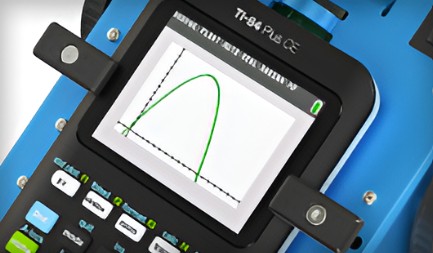
The TI-Innovator™ Rover is out-of-the-box ready to connect to the TI-Innovator™ Hub, which is placed in a special bay on Rover. Either a TI-84 Plus CE or TI-Nspire™ CX family graphing calculator is secured with clamps on top of Rover.

Motivate students to think differently

Rover rolls over roadblocks to learning by providing students with a new way to experience — not just see — math. The physical representation creates an additional entry point to problem-solving that connects math, coding and movement.
Take the on-ramp to robotics

Rover is an introduction to coding and robotics. The simple programming language that is built into TI graphing technology makes it easy to program the system, run it and troubleshoot to correct or fine-tune performance.

Make math a moving experience

Motion enables students to engage in math from a new perspective. Rover puts math in their world in a way that encourages them to ask "what if…?" and inspires them to persist in finding solutions to make the vehicle perform the way they want it to.

Built for the classroom

A durable, rechargeable battery powers Rover's two motors. The vehicle also includes a color sensor, a distance sensor, an LED display, a holder for a marker to draw paths on paper, and a gyroscope to measure heading.

Take the on-ramp to robotics

Rover's design allows for access to the TI-Innovator™ Hub input and output ports, so students can add additional capabilities to their Rover experience.

SPECIFICATIONS

Technical Details

HARDWARE

SUPPORT

Compatible Graphing Technology

RESOURCES

Everything You Need to Get Started

Keep your TI-84 Plus CE and TI-Nspire™ CX graphing calculators and TI-Innovator™ Hub with TI LaunchPad™ Board up to date.

Operating Systems & App

Keep your TI-84 Plus CE and TI-Nspire™ CX graphing calculators and TI-Innovator™ Hub with TI LaunchPad™ Board up to date.

Guidebook

Download the latest product manuals and Getting Started guides to get the most from your TI-Innovator™ Rover.

Keep your TI-Innovator™ Hub up to date

Ensure that you have the latest capabilities and support for your TI-Innovator™ Hub. You will need the latest version of your calculator OS and TI-Innovator™ Sketch.

Rover Demo Program

Download and install the demo program that includes three fun ways to test functionality and get rolling with Rover.

Code. Design. Build.

Open new channels for inquiry, exploration and collaboration with free activities for TI-Innovator™ Technology.

Self-service Knowledge Base

This searchable TI-Cares™ Knowledge Base provides answers to most questions for the TI-Innovator™ system.

Test Programs

Troubleshoot problems with your TI-Innovator™ Hub, Rover, or I/O Modules with these test programs.