











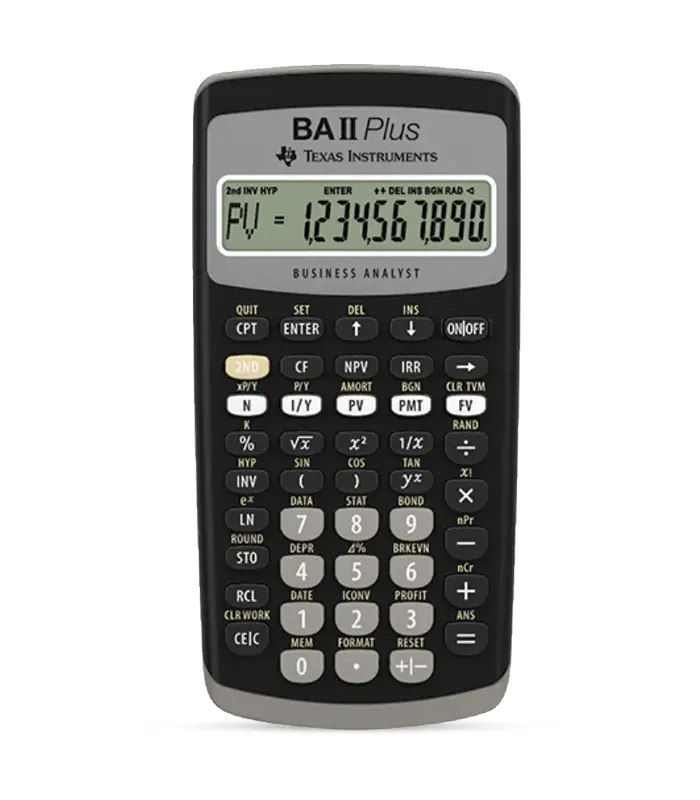
The BA II Plus Financial Calculator is a popular and widely used financial tool designed to assist individuals, students, and professionals in performing various financial calculations. Manufactured by Texas Instruments, the BA II Plus is known for its versatility, portability, and user-friendly interface.
It is commonly used in finance, accounting, real estate, and business courses, as well as in professional finance settings.It’s a powerful calculator designed for students and professionals in various fields, especially in Financial Services.
Approved for high stakes exams
Key features
Time Value of Money (TVM) Functions
The calculator is equipped with powerful TVM functions that allow users to solve time value of money problems, including present value, future value, annuities, and loan amortization.
Cash Flow Analysis
The BA II Plus facilitates cash flow analysis with functions for net present value (NPV) and internal rate of return (IRR). This is particularly useful for evaluating investment projects.
Statistical and Mathematical Functions
It includes statistical and mathematical functions for data analysis, standard deviation, mean, linear regression, and more.
Bond Calculations
The calculator has dedicated functions for bond calculations, enabling users to determine bond prices, yields, and accrued interest.
Depreciation Calculations
For accounting purposes, the BA II Plus supports various depreciation methods, such as straight-line and declining balance.
Amortization Worksheet
The Amortization worksheet helps users analyse loan payments, interest, and principal components over the life of a loan.
Easy-to-Use Interface
The calculator features a user-friendly layout with clearly labelled keys, making it accessible for both beginners and experienced users.
Multiple Worksheets
It includes multiple worksheets for different financial calculations, such as TVM, Bond, Amortization, and Depreciation.
Battery-Powered
The calculator is powered by standard batteries, ensuring portability and convenience for users on the go.